Room Types
Room Types
To create a new room type, please access the Hotel Manager > Property > Room types section or and on Create.
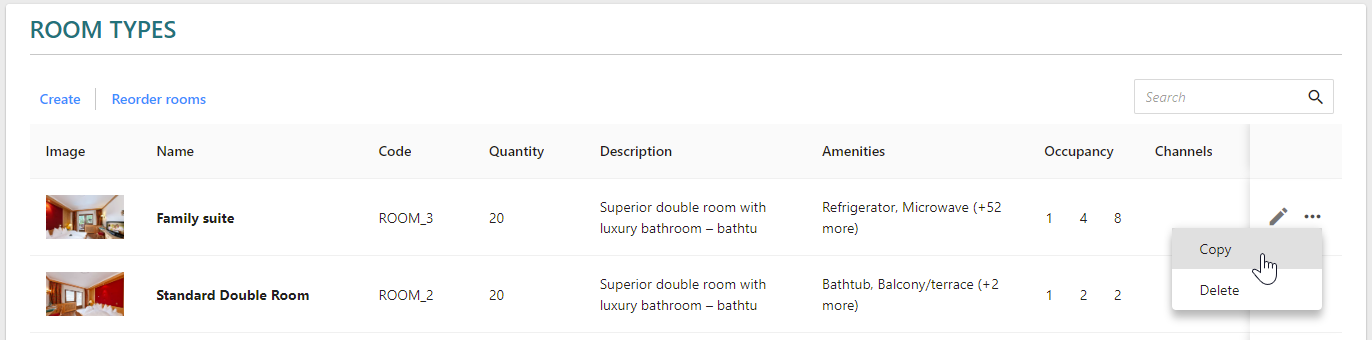
If you would like to copy an existing room type, select the Copy option. It will allow you to easily replicate existing room types with all their details, and you will only have to update the details as required, as well as ensure they are correctly mapped.
- Please ensure to enter a room type name which is relevant to you and your guests as this information is visible to guests.
- The room code is not-editable once it’s saved.
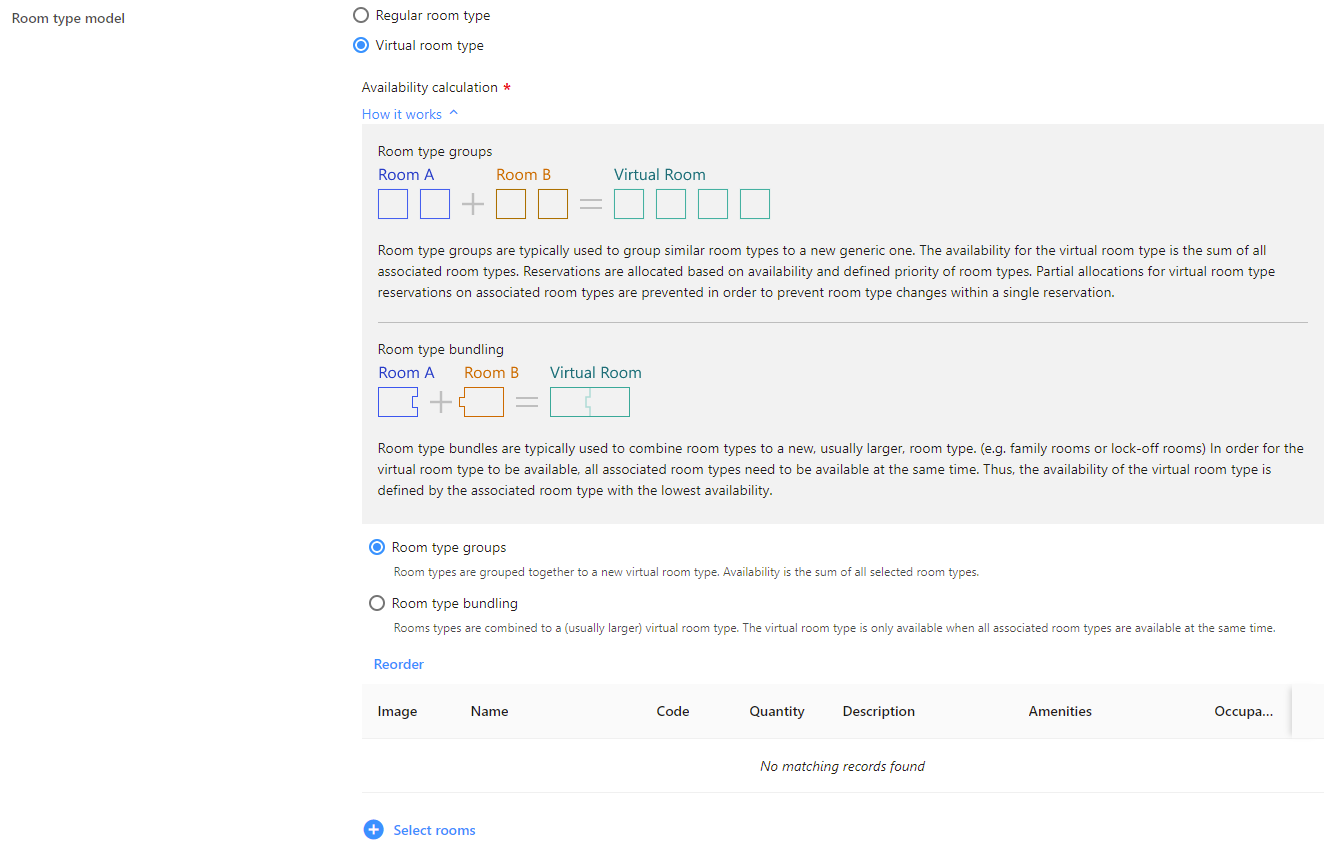
- Select the Room type model which best suits your case:
(non-editable once saved)
- Regular room type
- or Virtual room type
Use case examples:
Interconnected rooms (master room) or properties (chalet) which are composed of rooms that can be booked as one property or room, otherwise known in the Hotel Manager as a virtual room, or can be booked independently as well.
A room type (Family Suite, the virtual room type) of which you have several in different locations of your complex (Family Suite North & Family Suite South) and you would like to distribute them to different channels depending on their location.
- Select the availability calculation that best suits your use case.
Click on How it works to see graphical representations of each calculation model.
- Room type groups: the availability for the virtual room type is the sum of all the associated room types & the reservations are allocated based on availability and priority of room types.
- Room type bundling: The virtual room type is only available when all associated room types are available.
- Select the rooms of which your virtual room type is composed and use the sorting to indicate the priority, the latter if required.
- Select the availability calculation that best suits your use case.
Click on How it works to see graphical representations of each calculation model.
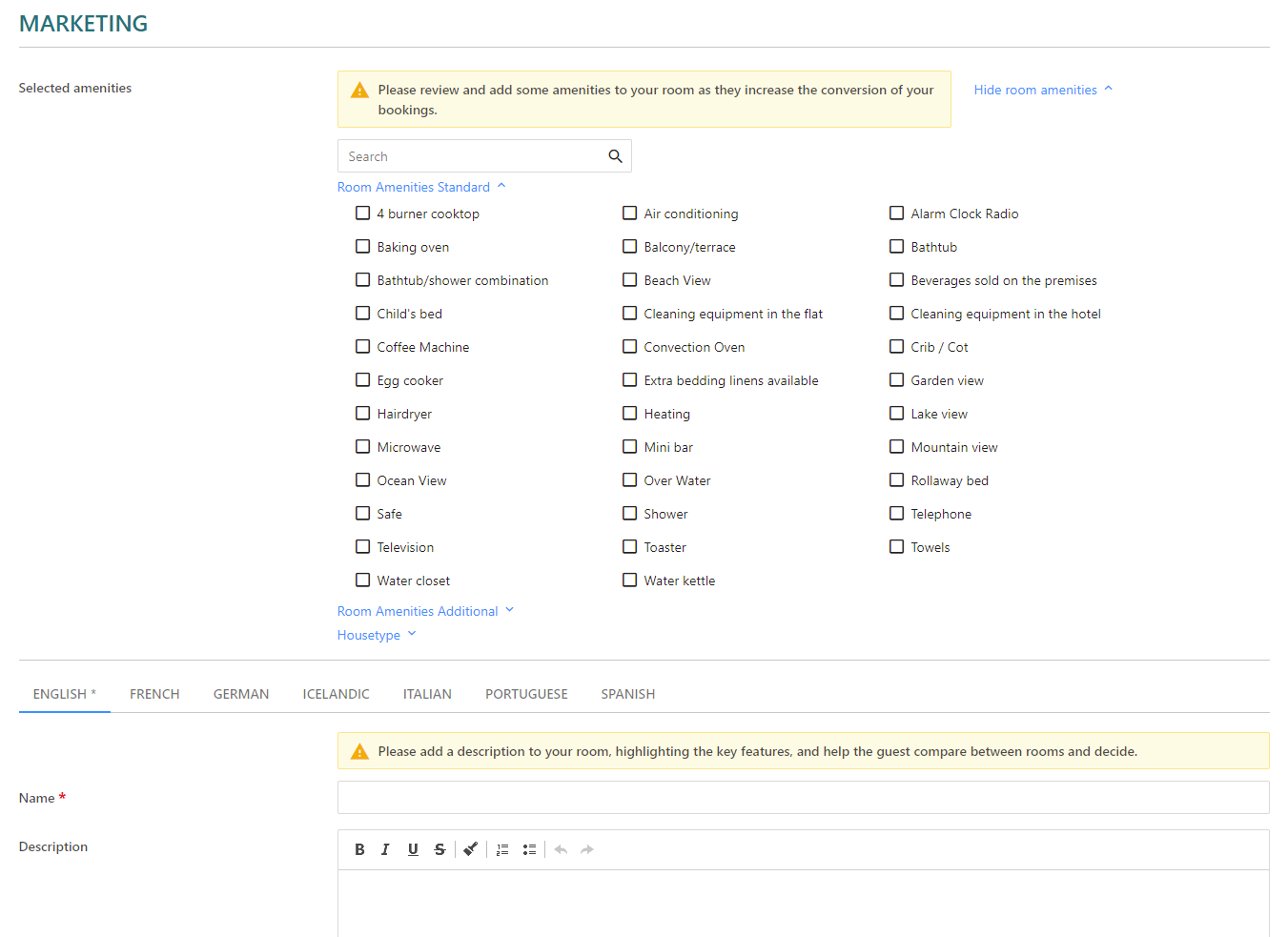
- Use the other configuration options to provide more information, with emphasis on amenities, brief yet catchy description and good quality images, all of which can motivate your guests to book the room. We suggest using the amenities functionality to highlight those and to not repeat or list them in the description. Sorting of amenities display on KUBE can be easily achieved by setting the desired order by drag-n-drop.